Six things temporary works teams currently run on spreadsheets, email chains and a folder nobody can find at audit. Every screen below is the real product.
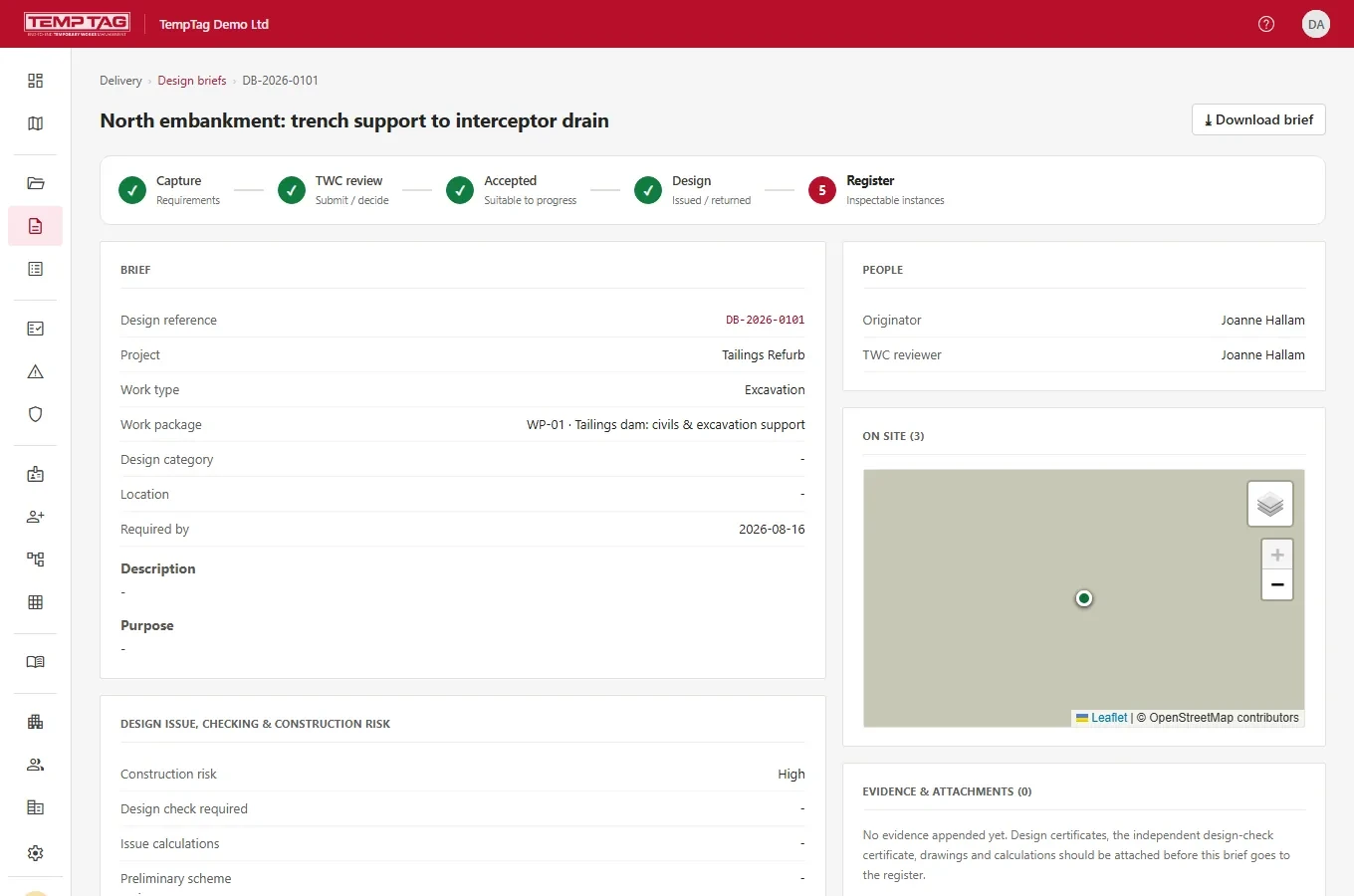
Every temporary works item starts as a brief: what is needed, where, by when, and what it has to carry. TempTag takes it from capture through coordinator review and acceptance to an issued design — with the stage it has reached visible to everyone on the project.
Capture the requirement against a project, work package and work type
TW coordinator reviews, then accepts or returns it with a reason
Design category, construction risk and design-check requirement recorded on the brief
Drawings, calculations and design certificates attached as evidence
An accepted brief creates the register item — no re-keying, no orphan records
Design brief DB-2026-0101, part-way through the workflow
02
Conduct the inspection, and prove you did
Build the checklist once for a kind of temporary works, then it is the checklist every inspector gets when they scan that tag. Answers, notes, marked-up photographs and the signature are captured on the phone and become a report you can hand to a client or an inspector.
Checklist builder per work type, with a reusable question library behind it
Routine and pre-dismantle inspections, with the next inspection date derived automatically
Photo evidence with mark-up — the unedited original is kept alongside it
Failed checks raise a defect and flip the item's status where everyone can see it
Schedule 7 report, branded and downloadable, plus a short-lived signed link for the field
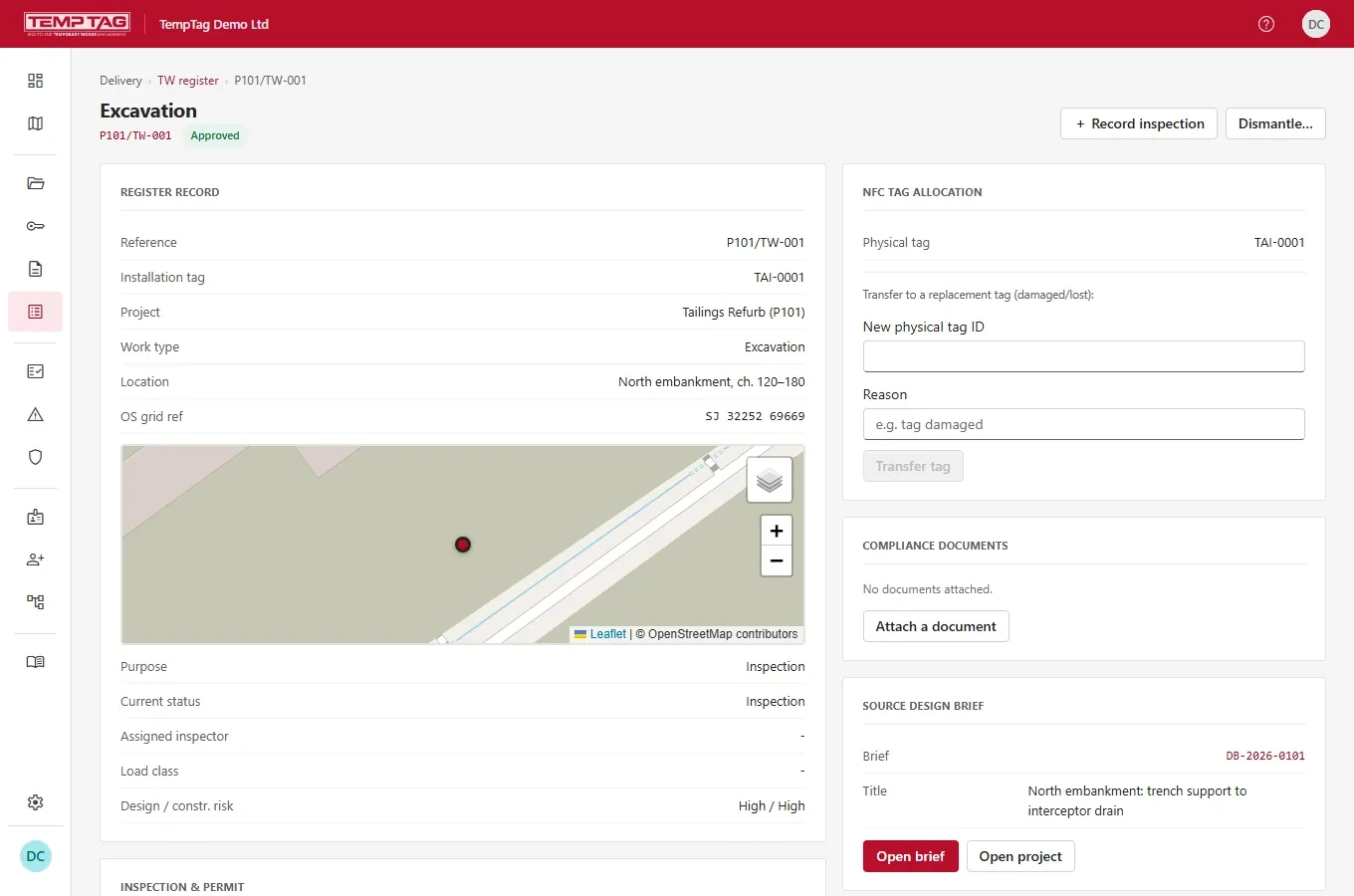
A register item, ready to record an inspection against
03
Hold points that actually hold
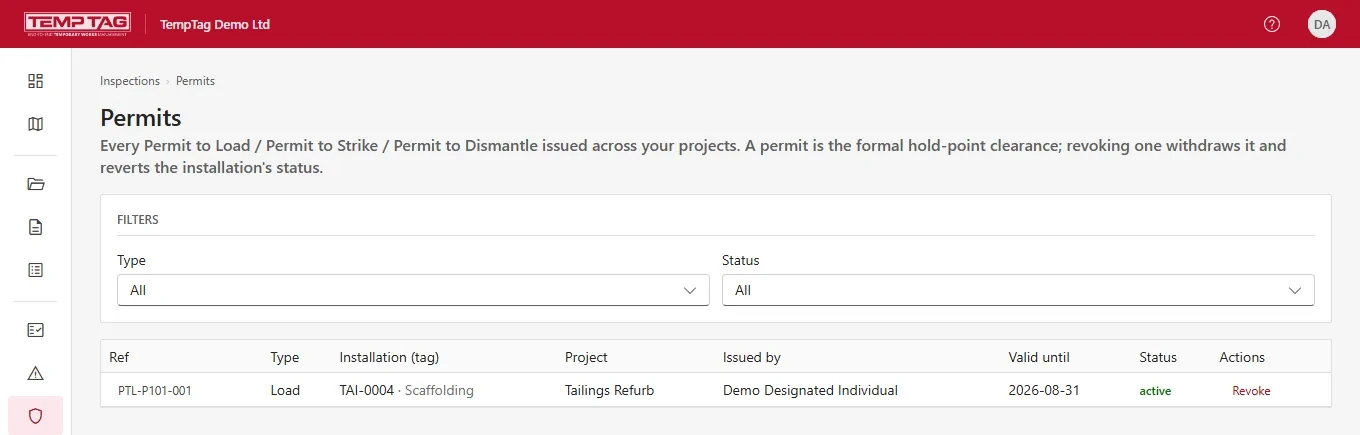
A permit to load, strike or dismantle is a formal clearance, not a note in a diary. TempTag issues it against a specific installation, records who issued it and until when, and shows it as the item's live status. Revoke it and the clearance is withdrawn everywhere at once.
Permit to Load, Permit to Strike and Permit to Dismantle
Issued against one register item by a named, appointed person
Permit templates so the wording is consistent across your projects
Central register of every permit across every project, filterable by type and status
Revocation reverts the installation's status rather than quietly expiring
The permit register — every hold point across every project
04
Oversee the contractors doing the work
Most temporary works are designed, erected and struck by somebody else's people. TempTag gives principal contractors and clients a way to bring those organisations onto the project, decide exactly what each can see, and keep the paperwork attached to the job rather than to an inbox.
Enrol subcontractor organisations and attach them to the projects they work on
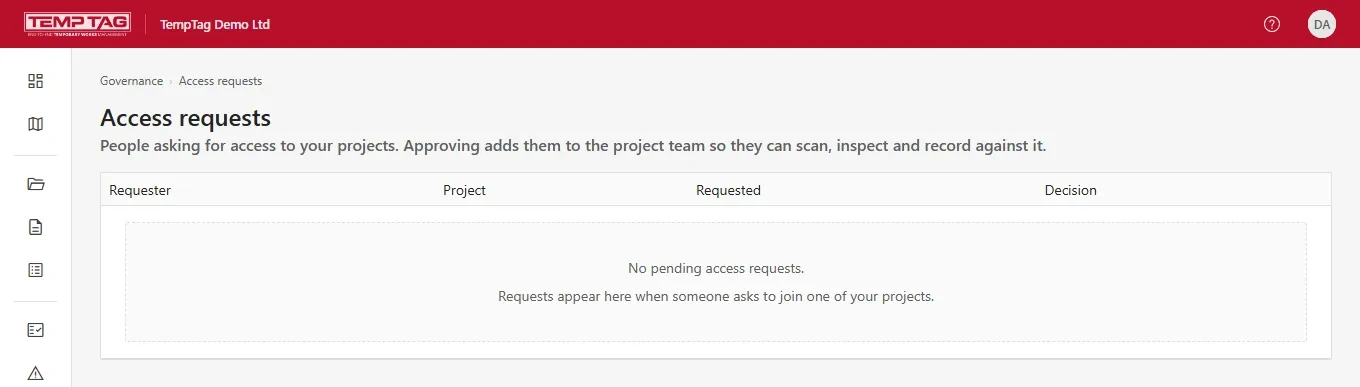
Project access requests with an approval queue — access is granted, not assumed
Scope visibility per organisation, so a subcontractor sees its own work and no one else's
Scaffold requests raised by the user of the works and converted by the scaffolding contractor
Handover certificates recording what was handed over, to whom, and with what limits
Project access requests, approved by the coordinator who owns the project
05
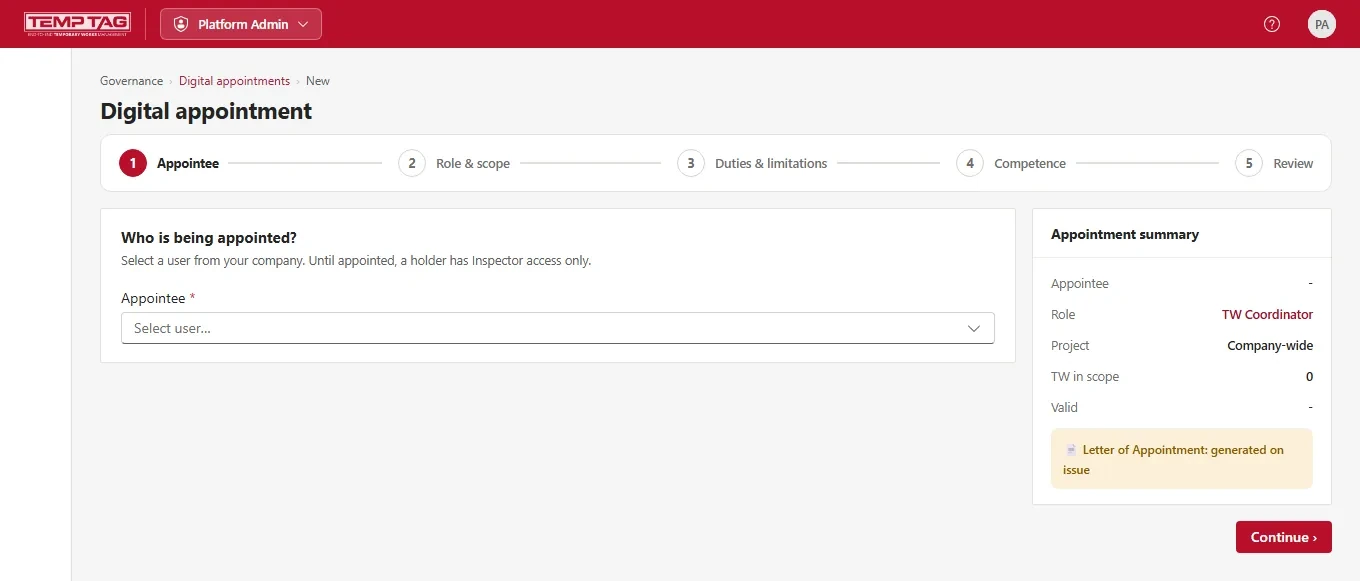
Appoint people properly, and evidence their competence
BS 5975 turns on named, competent people holding defined duties. TempTag makes the appointment a record rather than a letter in a drawer: who is appointed, to what role, over which temporary works, with what limitations, on what evidence, and until when.
Guided appointment: appointee, role and scope, duties and limitations, competence, review
A Letter of Appointment generated when the appointment is issued
Appointee accepts — an appointment is not something done to somebody silently
Competence evidence and CVs held against the person and reviewed by the appointer
Expiry, renewal and amendment tracked, with an organisation chart and skills matrix over the top
Issuing a digital appointment, with the letter generated on issue
06
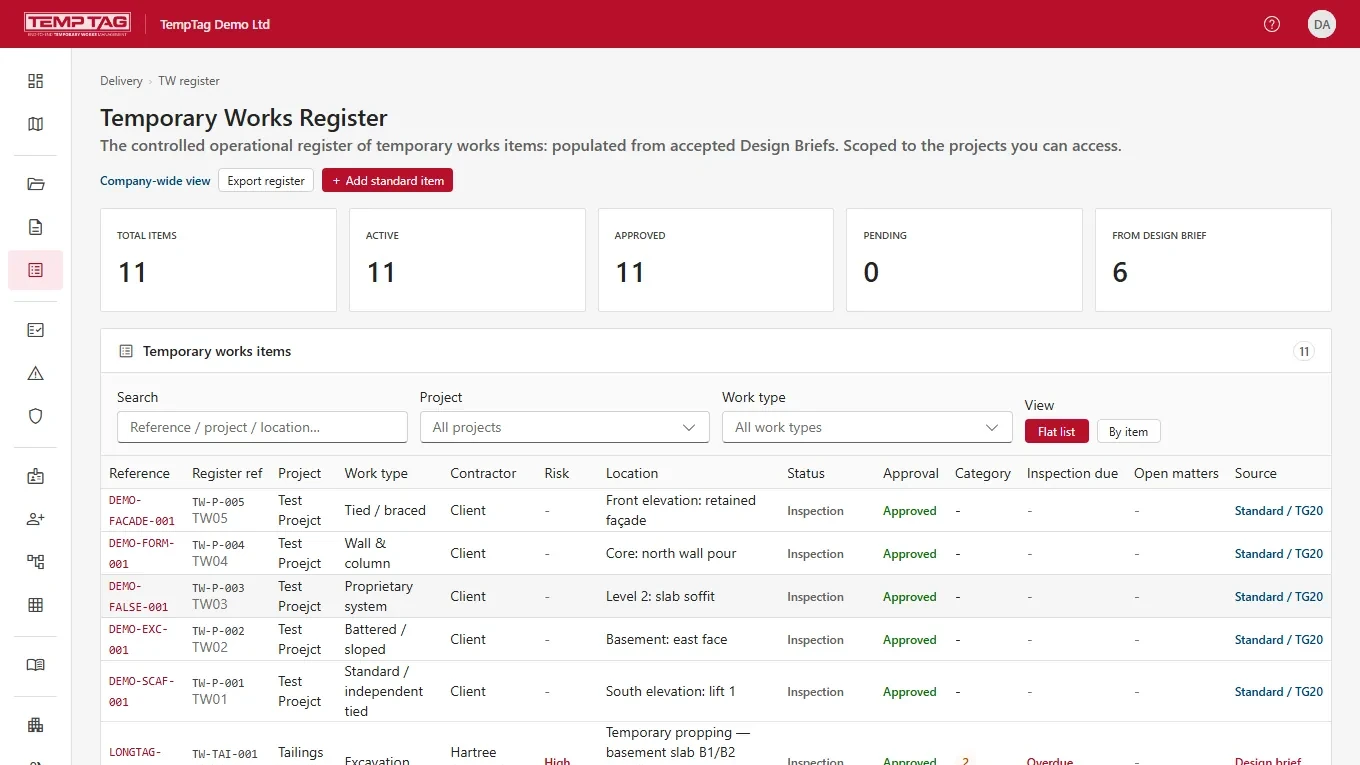
One register everybody is looking at
The temporary works register is the operational record: what exists, where it is, what state it is in, when it was last inspected and when it is next due. In TempTag it is populated from accepted design briefs, scoped to the projects a person can access, and exportable when somebody asks for evidence.
Company-wide or per-project view, with status, approval and inspection-due at a glance
Located by OS grid reference and shown on a site map
Standard solutions and a Category 0 library for repeatable, pre-accepted arrangements
Change events reopen acceptance rather than letting a modified item stay approved
Export the register, and open actions and defects tracked to closure